
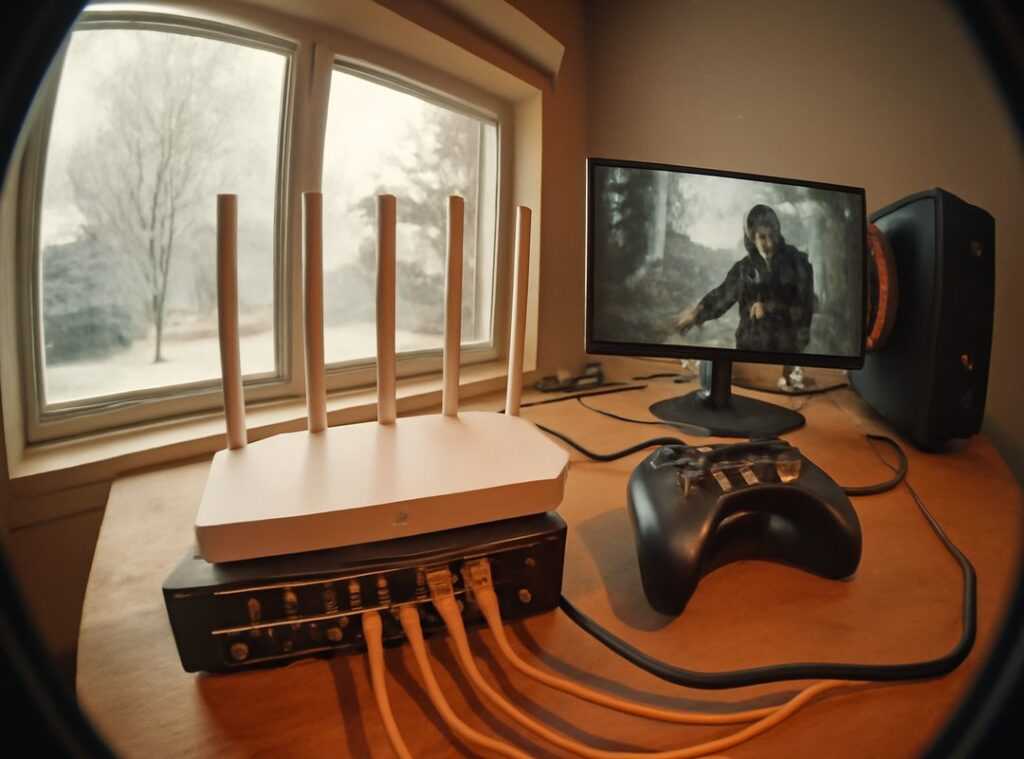
Lag spikes. Disconnects at the worst time. We’ve all been there, screaming at the screen as your perfect killstreak crashes and burns thanks to a lousy connection.
It’s a nightmare. But here’s the thing: your default internet setup isn’t cutting it. That out-of-the-box connection from your ISP?
It’s the bottleneck throttling your gaming glory.
I’ve set up high-performance networks for gaming events (and let me tell you, they make all the difference). You deserve that same edge at home. Why should pro gamers have all the fun?
With a killer home gaming network setup, you can crush those lag demons. Follow along, and I promise you: step-by-step, we’ll open up stable connections and low latency. Your competitive edge is just a tweak away.
Ready to level up?
Level 1: Your Free ISP Router is Costing You Games
Ever wonder why your gaming feels sluggish? It’s that free ISP modem-router combo. Think of it as a jack-of-all-trades but a master of none.
These devices are supposed to do everything, but they do it poorly. Underpowered processors and minimal RAM mean they’re not built for serious gaming. Basic firmware also struggles with heavy traffic from all your devices.
Sound familiar?
Let me introduce you to “bufferbloat.” It’s like a traffic jam inside your router. Ever tried streaming Netflix and gaming at the same time? Your game data gets stuck behind your latest binge-watch.
It’s frustrating, isn’t it?
Here’s the first and most key upgrade for your home gaming network setup: separate your modem and router. Get dedicated devices for each task. This isn’t just tech talk; it’s the path to smoother gaming.
Pro tip: Invest in a quality router with good processing power and RAM. It’s like giving your games the VIP lane they deserve. Seriously, ditch the combo unit.
You’ll notice fewer lags and more wins. Curious how this connects to cost savings? Check out these cost effective solutions for game hosting.
Your gaming deserves better. So why settle for less when the fix is so simple?
Gear Up: Choosing Your Network Hardware Armory
Building a home gaming network setup isn’t just about plugging things in. It’s about picking the right gear. Let’s start with your gaming router.
Think of it as the heart of your setup. You need a multi-core CPU and plenty of RAM. Why?
Because it keeps everything running smoothly. You don’t want lag when you’re in the middle of a battle.
And don’t overlook Quality of Service (QoS) features. They prioritize your gaming traffic, so your roommate’s Netflix binge doesn’t ruin your game. Speaking of future-proofing, Wi-Fi 6/6E is where it’s at.
It handles more devices without a hitch. You’ll thank yourself when every gadget in your house connects effortlessly.
Now, onto modems. Your ISP promises blazing speeds, but an old modem can bottleneck them. Go for a modern one with DOCSIS 3.1.
It’s like upgrading from a bicycle to a sports car. You wouldn’t settle for less, right?
Finally, the unsung heroes. Ethernet cables. Cat 5e, Cat 6, Cat 7 (what’s) the deal?
Cat 6 is your best bet for gaming. It’s reliable, fast, and won’t break the bank. For more on setting up your network, check out how to build a gaming network at home.
Trust me, getting the right gear makes all the difference.
The Command Center: Unlocking God-Mode in Your Router Settings
Ever feel like your home gaming network setup is lagging behind? Here’s a hack: prioritize your gaming data with Quality of Service (QoS). Think of it as the VIP lane on your internet highway.
You just need to configure your router to give your gaming PC or console’s MAC address top priority. Easy, right? QoS ensures your game data zooms past everything else.
Let’s talk about NAT (Network Address Translation). It’s like your network’s receptionist, deciding which data goes where. For gaming, you want an ‘Open’ NAT.
Why? It minimizes lag and improves matchmaking. You can achieve this by using Port Forwarding or UPnP (Universal Plug and Play).
Port Forwarding is manual but stable, while UPnP is automatic yet sometimes finicky. Choose wisely!
Now, DNS settings. Think of DNS as the internet’s phonebook. Your ISP’s default DNS might be slow.
Switch to faster options like Cloudflare (1.1.1.1) or Google (8.8.8.8) to possibly lower ping times. Trust me, it’s worth the switch.
Ever wondered how to handle troubleshooting common game server issues? Check out this guide for takeaways.
Here’s a pro tip: Always test changes. Run a speed test before and after tweaking settings. It’s all about finding that sweet spot.
Who knew your router had so much power, right? Now go on, unleash the beast of your home gaming network setup. You’ll thank me when you’re dominating the leaderboard.
Wired vs. Wi-Fi: The Great Gaming Debate
Wired Ethernet is where it’s at for competitive gaming. It’s the gold standard. Unmatched in stability, speed, and low latency.

Does anyone actually dare to argue otherwise?
But let’s be real: sometimes Wi-Fi is your only option. Maybe your desk is lightyears away from the router, or maybe you just hate cables (I get it). So what’s a gamer to do?
First, make sure you’re on the 5GHz band. It’s faster and faces less interference than the 2.4GHz band. Seriously, don’t overlook this.
Next, try moving your router to a more central, elevated spot. Shove it on a shelf or hang it high. It’s not feng shui; it’s science.
Oh, and get yourself a free Wi-Fi analyzer app. These nifty tools can help you find the least congested wireless channel around (your neighbors hogging the airwaves? Probably).
Switch to a quieter channel and watch the magic happen.
In the end, your home gaming network setup can still kick butt with some Wi-Fi tweaks. But if getting that perfect kill streak is your thing, you’re better off wired. Just saying.
Does anyone really love watching lag spikes ruin a perfect run? Didn’t think so.
Pro-Level Strats: Building a Fortress for Your Gaming Data
You want to know what separates a good network from a great one? It’s network isolation. That’s the secret sauce.
You need to push all those non-gaming devices onto your router’s ‘Guest Network’ feature. Smart speakers, phones, laptops. Get them out of your main lane.
Imagine a ‘clean’ network, dedicated just to your gaming rig. No interference.
Now, if you’re really hardcore, there’s VLANs. Think of them as creating a private express lane on the internet highway. Just for your game.
It’s not for the faint-hearted, but it adds a layer of control that’s worth it. Why let your video doorbell mess with your lag time?
In my experience, setting up a home gaming network setup this way gives you a massive edge. It’s the competitive differentiator. You’re not just playing.
You’re dominating. And isn’t that what we’re all after?
Do it right, and your game won’t just be good. It’ll be unbeatable.
Ready to Dominate the Digital Battlefield?
You’ve cracked the code on a home gaming network setup that puts pro setups to shame. No more blaming those cheap ISP boxes for your losses. You’ve taken control, and it’s time to taste the sweet, lag-free victory.
But why stop here? Your network is just the beginning. Dive into our guides on optimizing in-game settings and pro-level communication tactics.
They’re packed with strategies to sharpen your edge. Ready to be the best? Check out these guides now.
Don’t wait. Give your skills the upgrade they deserve. Your victory is calling.
Answer it.

 Linda Boggandaron writes the kind of insider explorations content that people actually send to each other. Not because it's flashy or controversial, but because it's the sort of thing where you read it and immediately think of three people who need to see it. Linda has a talent for identifying the questions that a lot of people have but haven't quite figured out how to articulate yet — and then answering them properly.
They covers a lot of ground: Insider Explorations, Esports Team Developments, Game Hosting and Setup Tips, and plenty of adjacent territory that doesn't always get treated with the same seriousness. The consistency across all of it is a certain kind of respect for the reader. Linda doesn't assume people are stupid, and they doesn't assume they know everything either. They writes for someone who is genuinely trying to figure something out — because that's usually who's actually reading. That assumption shapes everything from how they structures an explanation to how much background they includes before getting to the point.
Beyond the practical stuff, there's something in Linda's writing that reflects a real investment in the subject — not performed enthusiasm, but the kind of sustained interest that produces insight over time. They has been paying attention to insider explorations long enough that they notices things a more casual observer would miss. That depth shows up in the work in ways that are hard to fake.
Linda Boggandaron writes the kind of insider explorations content that people actually send to each other. Not because it's flashy or controversial, but because it's the sort of thing where you read it and immediately think of three people who need to see it. Linda has a talent for identifying the questions that a lot of people have but haven't quite figured out how to articulate yet — and then answering them properly.
They covers a lot of ground: Insider Explorations, Esports Team Developments, Game Hosting and Setup Tips, and plenty of adjacent territory that doesn't always get treated with the same seriousness. The consistency across all of it is a certain kind of respect for the reader. Linda doesn't assume people are stupid, and they doesn't assume they know everything either. They writes for someone who is genuinely trying to figure something out — because that's usually who's actually reading. That assumption shapes everything from how they structures an explanation to how much background they includes before getting to the point.
Beyond the practical stuff, there's something in Linda's writing that reflects a real investment in the subject — not performed enthusiasm, but the kind of sustained interest that produces insight over time. They has been paying attention to insider explorations long enough that they notices things a more casual observer would miss. That depth shows up in the work in ways that are hard to fake.